1Open the link and verify your email
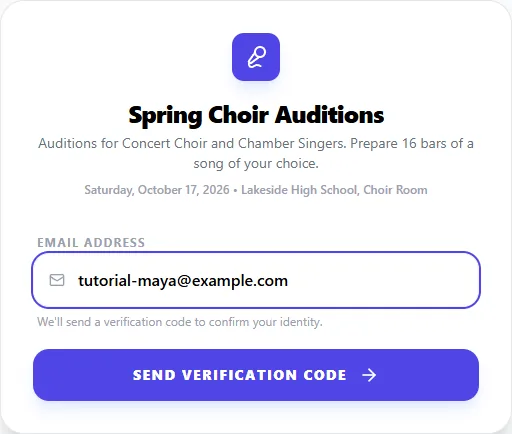
Open the invite link you were given. It ends in /invite/ followed by a short code, like /invite/ABC123. You'll see the audition's name and description.
Enter your Email Address and click Send Verification Code. Check your inbox for a 6-digit code, enter it, and click Verify. This confirms the email is yours, so results and reminders reach you.
No code? Check your spam or promotions folder. Codes expire after 15 minutes.
2Fill out the sign-up form
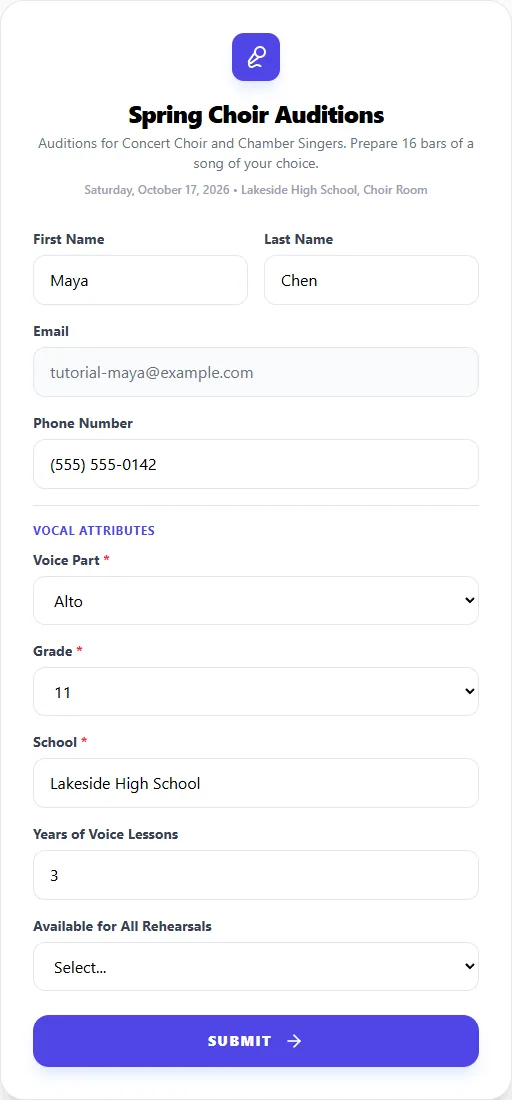
Enter your first and last name and, optionally, a phone number. Then answer the organizer's questions below, such as your instrument, voice part or grade. Questions marked as required must be answered.
Click Submit. You'll see You're all set! and you're signed in automatically.
Already have an AuditionEase account with this email? Your details are simply updated, and the audition is added to your dashboard.
3Book your time slot
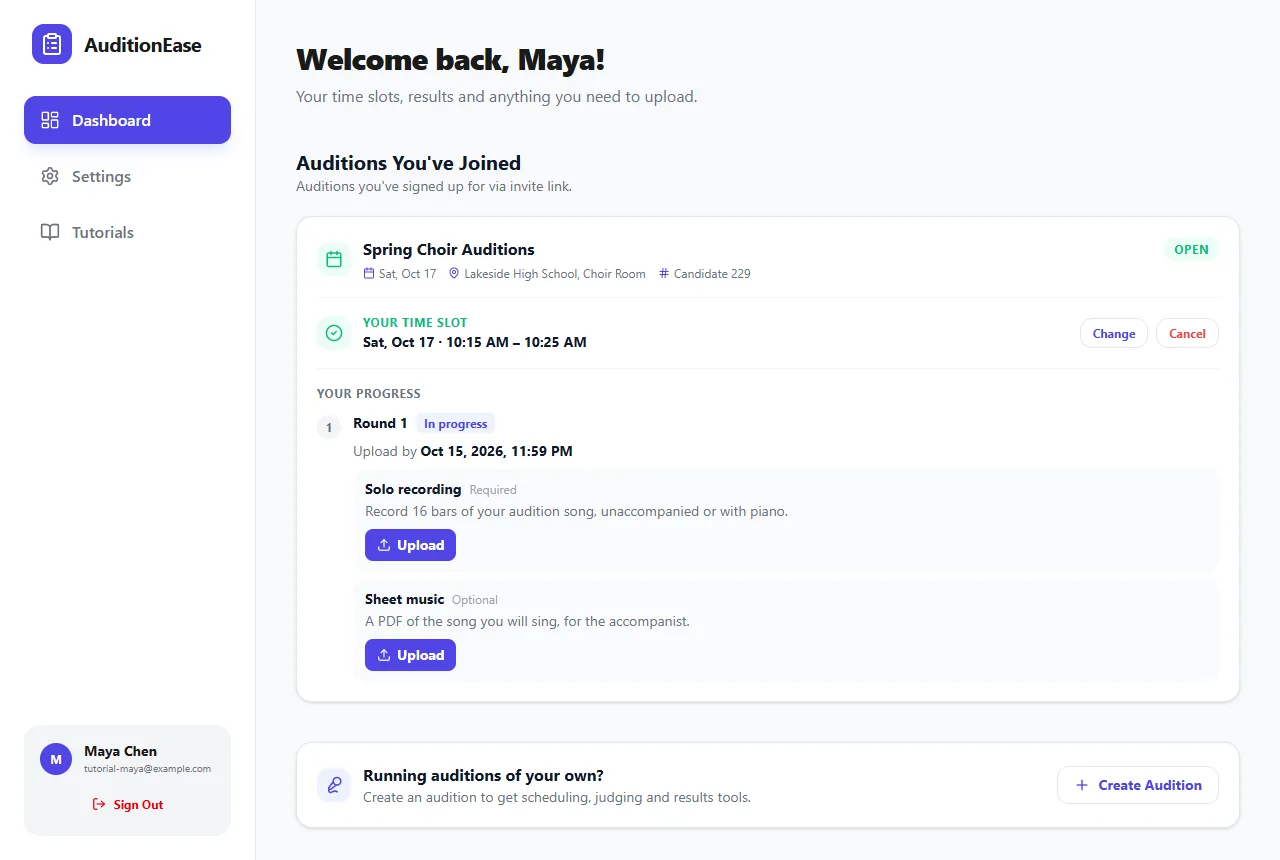
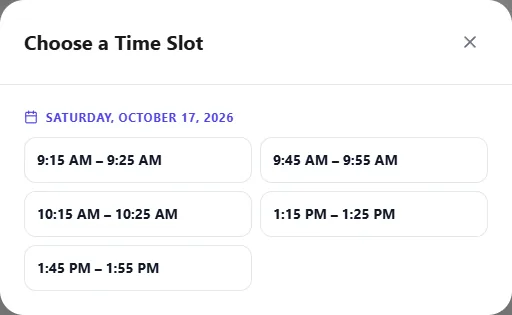
Click Go to My Dashboard. Under Auditions You've Joined, click Sign Up for Time Slot and choose from the open times. Your booked time then shows as Your Time Slot.
To come back later, go to AuditionEase, click Log In, and sign in with the same email address. We'll email you a code.
4Change or cancel your time
On your dashboard, click Change to pick a different open time, or Cancel to give up your slot. You can do this until the organizer closes the audition's schedule.
Many organizers turn on reminders, so you may get an email about 24 hours before your audition.
5Upload recordings and see your results
Your dashboard keeps track of everything about the audition:
- Your candidate number is shown next to the date and location. Use it if you're asked for it on the day.
- Your progress lists each round and whether it's in progress, you advanced, or results are pending.
- Uploads: if the organizer asks for recordings or sheet music, each item appears with its instructions and deadline. Click Upload to add a file. You can replace or delete it until the deadline.
- Results: once the organizer publishes a round, you'll see whether you advanced. Depending on the audition, you may also see your rank, score and judges' comments.
- Your placement: if you're seated in an ensemble, your ensemble and chair (or alternate position) appear at the top.