1Find an applicant
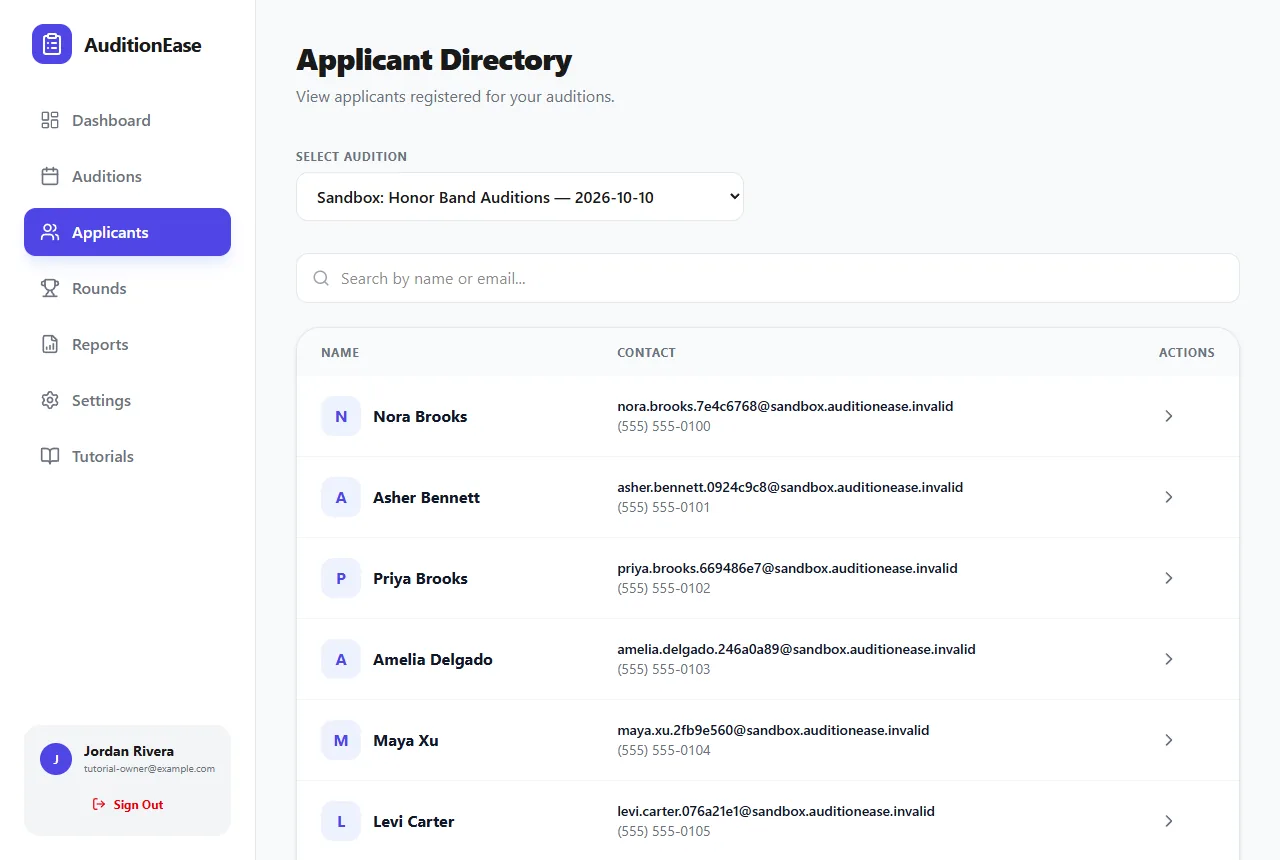
Click Applicants in the sidebar and choose an audition under Select Audition. Everyone who signed up is listed with their contact details. Type in Search by name or email to narrow the list.
2View and edit their details
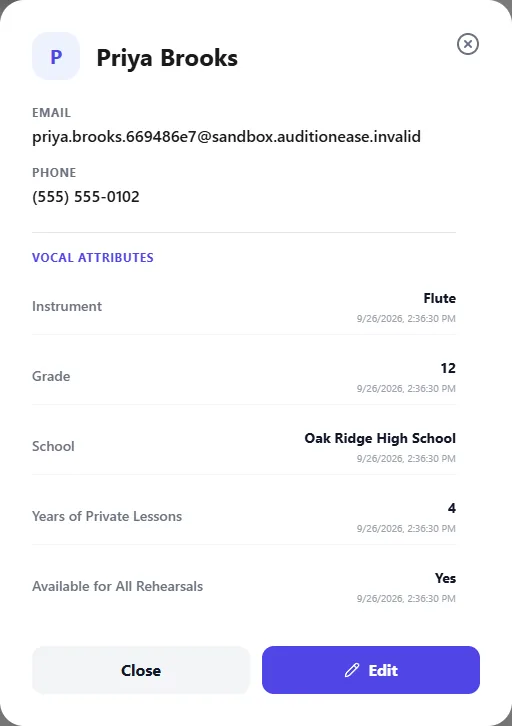
Click a name to see their email, phone number and every answer they gave on the sign-up form.
To correct something, like a misspelled name or the wrong instrument, click Edit, make your changes, and save.
For a printable list, run the Participant Roster or Schedule / Sign-in Sheet report. See Reports.