1Create your sandbox
On your Dashboard, find the Play in the sandbox card and click Create sandbox. It takes a few seconds to fill in the sample data.
When it's ready, the card changes to Your sandbox is ready. Click Open sandbox audition to jump straight in.

2What's inside
Your sandbox is a complete audition called Sandbox: Honor Band Auditions, marked with a yellow Sandbox badge wherever it appears. It includes:
- 20 sample participants, each with an instrument (flute, clarinet, alto saxophone, trumpet or trombone), grade, school and more.
- 20 time slots, half of them already booked.
- Sections by instrument, so you can advance and seat players within each section.
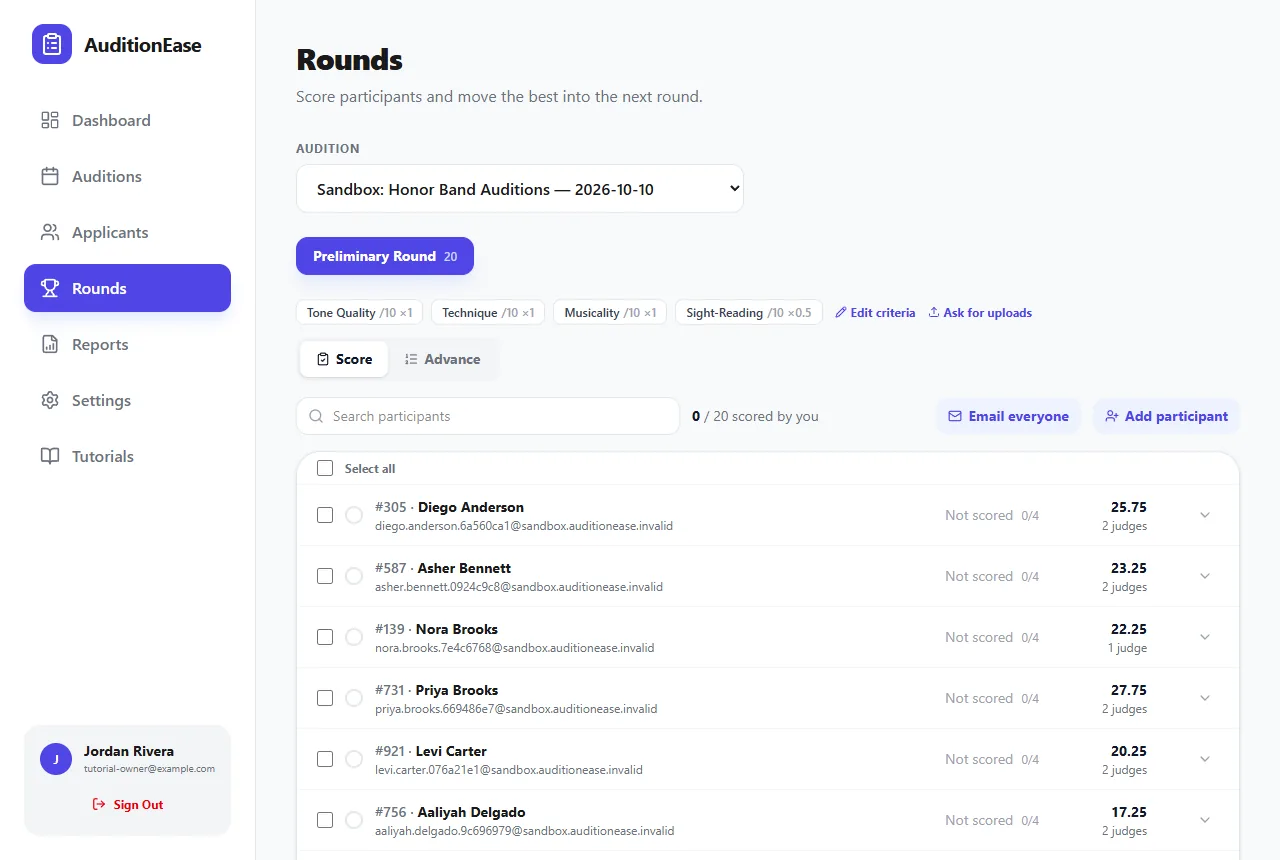
- A Preliminary Round scored on Tone Quality, Technique, Musicality and Sight-Reading (worth half as much as the others).
- Two sample judges who have already entered scores and comments. One scored everyone; the other is partway through.
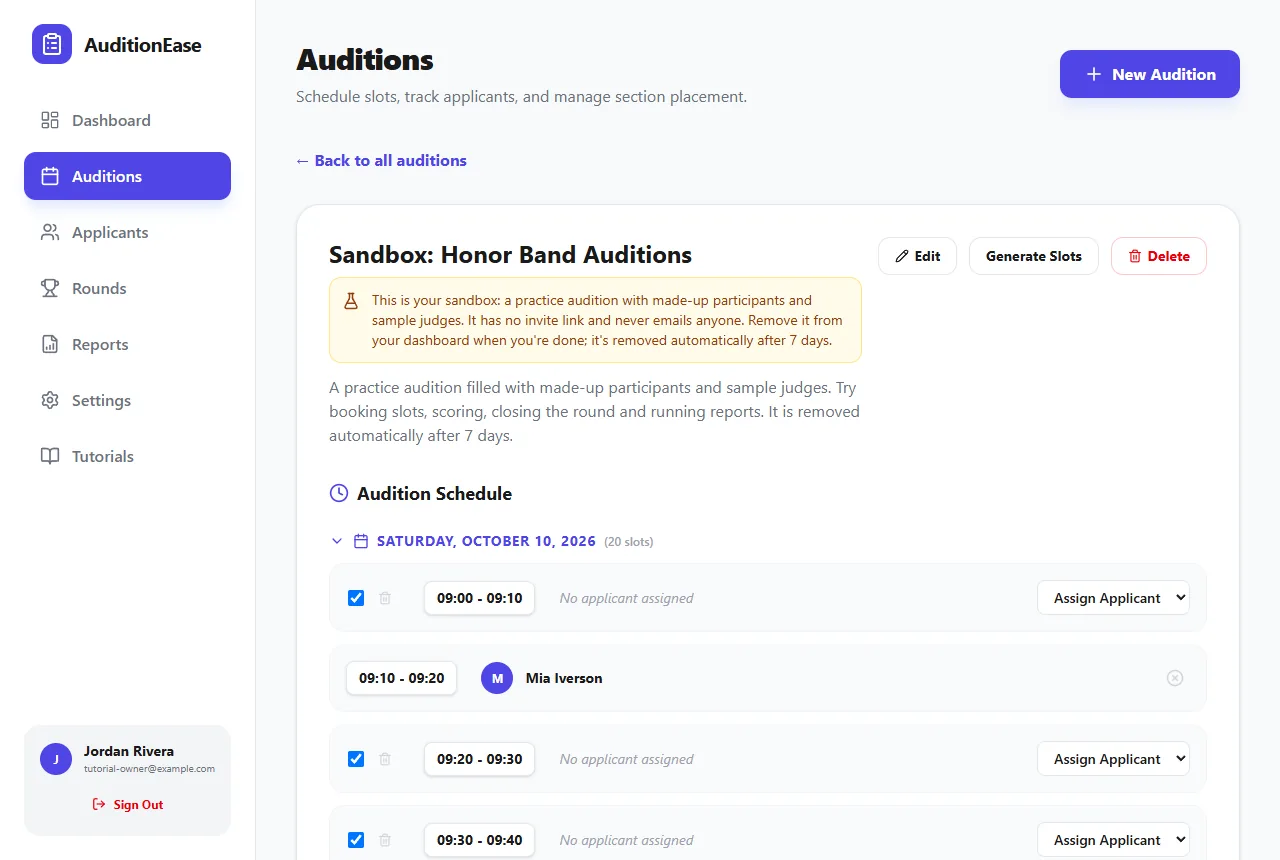
Sample people are never contacted. They use addresses on a reserved domain that can't receive email, and the sandbox has no invite link, so nobody real can join it. Feel free to click every button.
3Things to try
Open Rounds and choose the sandbox audition. From there you can:
- Add your own scores alongside the sample judges. See Rounds & scoring.
- Switch to Advance to watch the top 2 players in each section move past the cutoff, and try changing the rule. See Advancing & publishing results.
- Finish the audition and seat the players into ensembles by chair. See Ensembles & chair placement.
- Run the Round Results or Judge Scoresheet report. See Reports.
4Remove your sandbox
When you're done, click Remove sandbox on the dashboard card. This deletes the practice audition, its sample participants, scores and fields. Your real auditions aren't affected.
Sandboxes are also removed automatically after 7 days. You can have one sandbox at a time, and you can create a fresh one about 10 minutes after the last.